Posts

Showing posts with the label Windows

Easily Sync Clipboard Between Android and Windows

Image
Do you also want to live in an ecosystem in which your mobile and computer are in full sync? This syncing of the ecosystem will help you in 2 things. Firstly, you will enjoy the experience of using them, and it will also improve productivity. But the sad part is that you can’t sync everything. For instance, there is no way to sync clipboard data between Android and Windows. But again, there is no need to be sad as there are many third-party apps that will help you sync data between Android and Windows.   Note: The gap is reduced as Microsoft allowed syncing of messages, photos, and also the ability to make phone calls. But if it lacks somewhere, it is a clipboard. So, let’s dive straight into how to sync clipboards between Android and Windows.   How to Sync Clipboard of Android and Windows: We have found some of the best third-party app solutions for you. So, here are the best apps with which you can sync clipboards between Android and Windows vice versa.   ...
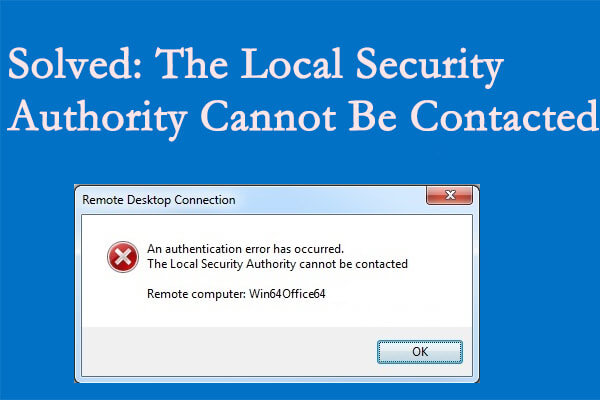
How to Fix ‘The Local Security Authority Cannot be Contacted’ Error on Windows?

Image
  When you attempt to sign in to a different system through a remote desktop connection, you may get an error stating, ‘The Local Security Authority Cannot Be Contacted.’ This error pops up on systems running on Windows. If you want to know how to troubleshoot this error, then check out the fixes mentioned below. Modify the DNS Address You should modify the DNS address by following these instructions available below: 1.    Firstly, hit the Windows and R hotkeys simultaneously for launching the Run prompt. 2.    Thereafter, insert ‘ncpa.cpl’ in it and select the OK button to launch the ‘Internet Connection Settings’ screen. 3.    Alternatively, this process can also be done by launching the Control Panel manually. Move to the settings of ‘View by’, go to Category, then select the Network and Internet. 4.    You should choose the option of ‘Network and Sharing Center’ in order to launch it. 5.    Now, attempt to find the...